 ChatsSync
WhatsApp bulk messaging, the official way
Send offers, reminders and updates to your customers with Meta-approved templates — and see who received, read and replied. No unofficial tools, no hacks.
Campaigns with real results
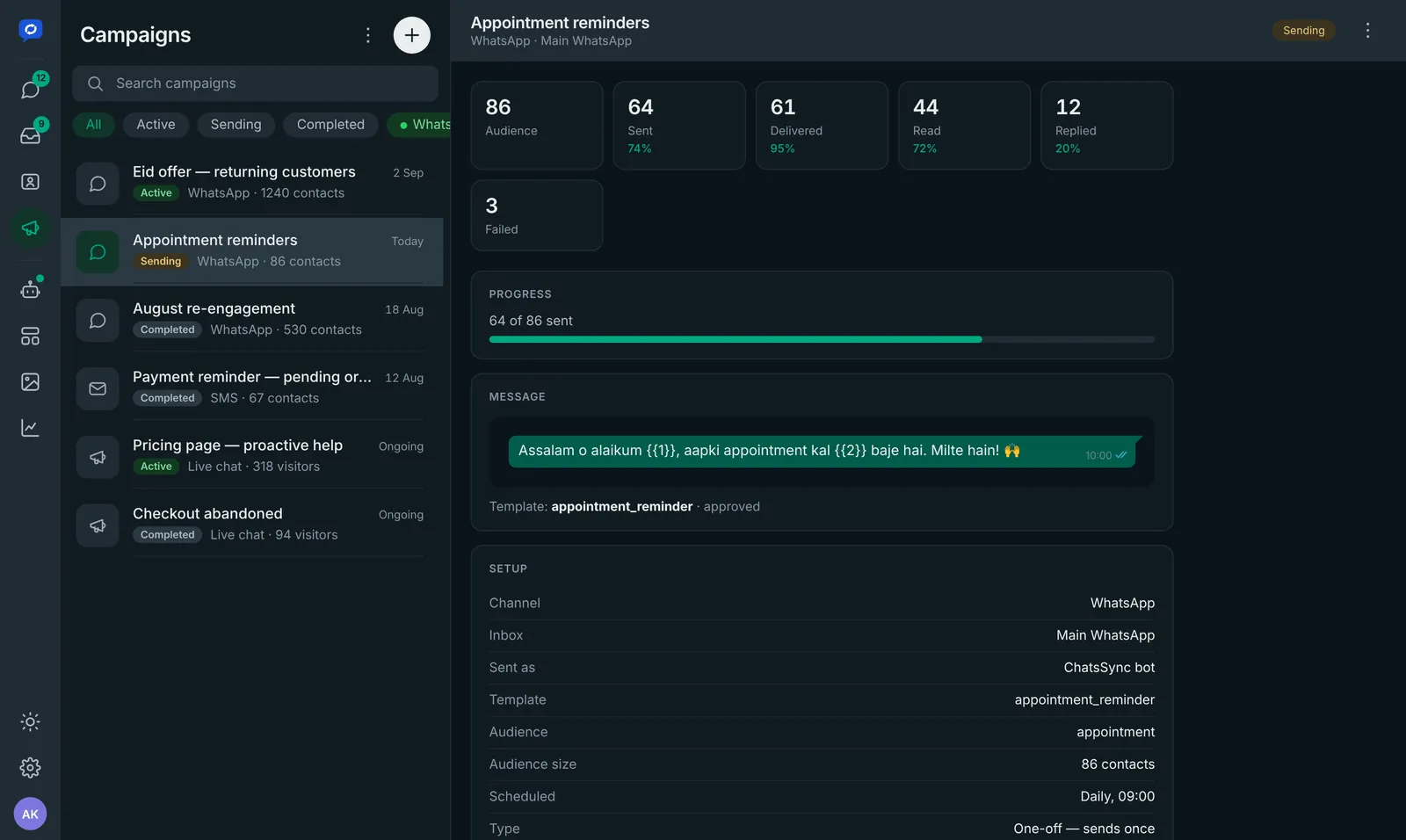
Pick an approved template, choose your audience by label or segment, send now or schedule, and follow every message from sent to replied.
- Audience by label or segment
- Send now or schedule
- Sent, delivered, read, replied and failed
- Replies arrive in the shared inbox
Templates approved by Meta
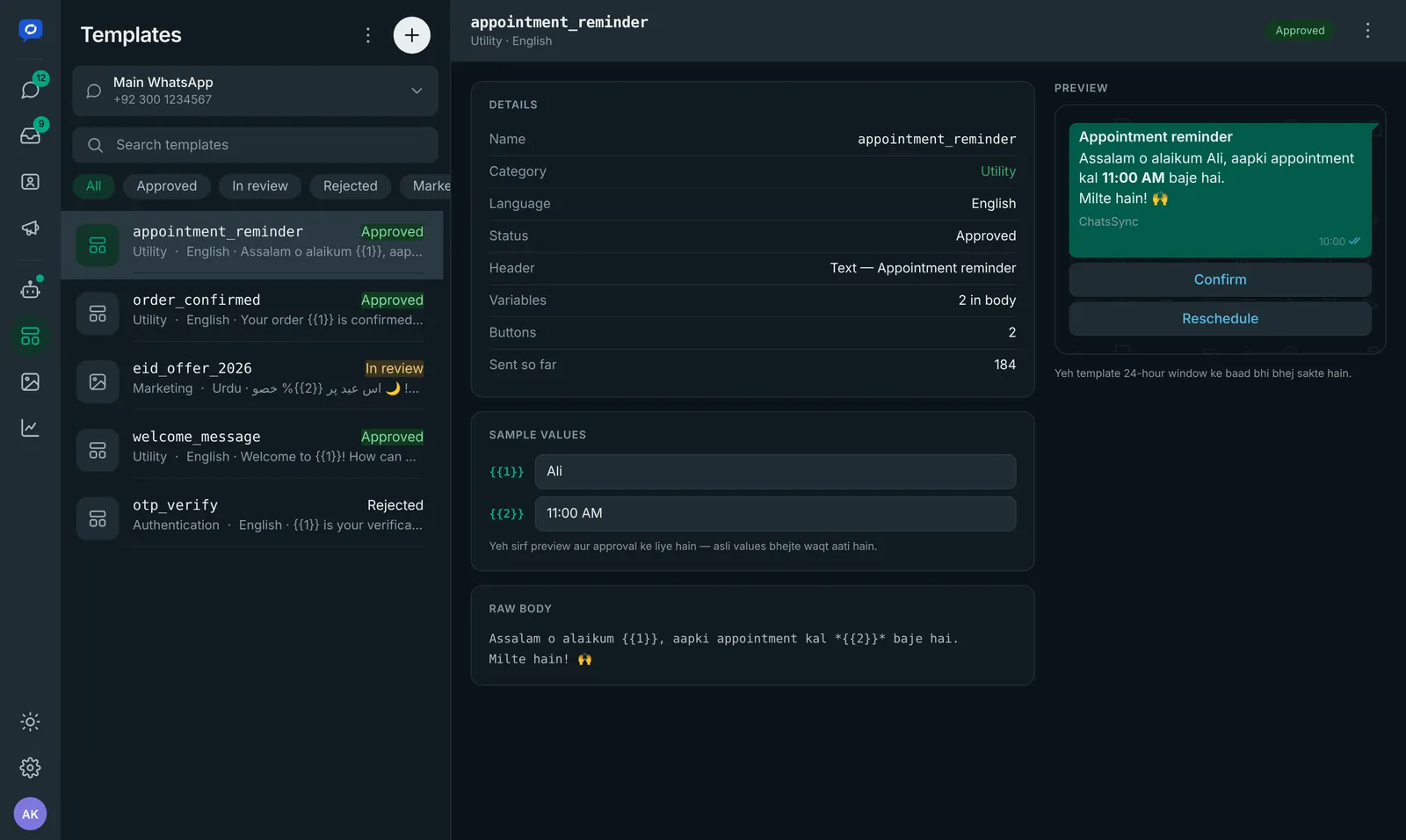
Bulk messages on WhatsApp must use templates. Create them in ChatsSync with a live preview and track their approval status.
- Marketing, utility and authentication templates
- Variables for names, dates and amounts
- Buttons for quick replies and links
Why the official API matters
| ChatsSync (official API) | Unofficial bulk senders | |
|---|---|---|
| Allowed by WhatsApp | Yes | No — against the terms |
| Risk to your number | Low when you follow the policy | High |
| Delivery & read reports | Yes | Varies |
| Replies handled by a team | Shared inbox | One phone |
| Buttons & rich media | Yes | Limited |
Keep your number healthy
Message people who opted in
Send campaigns to customers who gave you their number and agreed to receive updates.
Segment your audience
Use labels so each customer only gets messages that matter to them.
Mind the frequency
Space out marketing messages and use utility templates for order and payment updates.
Make opting out easy
Offer a quick way to stop messages and respect it.
Personalise
Use the customer’s name and details so messages feel one-to-one.
Watch your results
Check delivered, read and replied rates and improve the next campaign.
Bulk messaging questions
Is WhatsApp bulk messaging allowed?
Yes, when you use the official WhatsApp Business API with Meta-approved message templates and message customers who agreed to hear from you. Unofficial bulk senders break WhatsApp’s terms.
How many messages can I send?
Meta sets a messaging limit for each number, which grows as you send quality messages that customers engage with. ChatsSync shows your campaign results so you can keep quality high.
How much does WhatsApp bulk messaging cost?
Meta charges per delivered template message based on the category (marketing, utility or authentication) and the customer’s country. The ChatsSync plan is separate — see our pricing page.
Is WhatsApp bulk messaging available in Pakistan?
Yes. Pakistani businesses can send bulk WhatsApp campaigns through the official WhatsApp Business API with ChatsSync.
Can I personalise bulk messages?
Yes. Templates support variables, so each customer can see their own name, order number, date or amount.
Ready to send your first campaign?
Message us on WhatsApp and we will show you ChatsSync and help you get started on your own number.